
Coding Pathway Finder
Define Your Goals
Select your preferences and click "Analyze My Path" to see your recommended coding journey.
Finding the right coding classes feels like standing in a library where every book is written in a different language. You want to build apps, automate tasks, or land a tech job, but the options are overwhelming. Should you pick up Python? Is JavaScript worth the hype? Do you need a degree, or will a weekend workshop do?
The truth is, there is no single "best" class for everyone. The best choice depends entirely on what you want to build and how much time you can commit. Let’s cut through the noise and look at which languages and learning paths actually work in 2026.
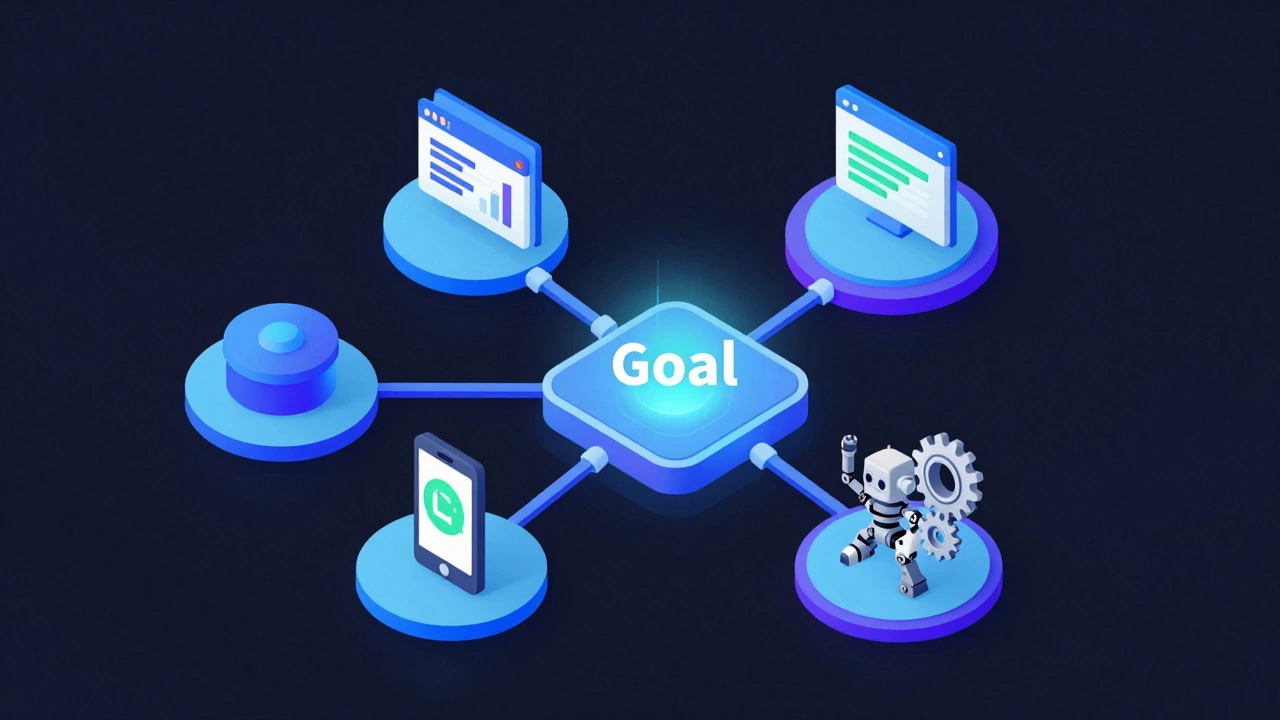
Define Your Goal Before Picking a Language
Most people start by asking, "What is the easiest language to learn?" That’s the wrong question. The better question is, "What problem do I want to solve?" Your goal dictates the tool. If you ignore this step, you’ll likely quit halfway through because the material feels irrelevant.
Here is how your goals map to specific coding paths:
- Web Development is building websites and online platforms that users interact with in their browsers. This path requires HTML, CSS, and JavaScript. It is visual, immediate, and has a massive job market.
- Data Science is analyzing large sets of data to find patterns, trends, and insights for business decisions. This relies heavily on Python and SQL. It’s less about building interfaces and more about statistics and logic.
- Mobile App Development is creating software applications that run specifically on smartphones and tablets. You’ll need Swift for iOS devices or Kotlin for Android phones. React Native is also a popular cross-platform option.
- Automation & Scripting is writing small programs to perform repetitive computer tasks automatically. Python is the king here. It’s great for office workers who want to save hours of manual data entry.
If you’re still unsure, Web Development is usually the safest starting point. The feedback loop is fast-you write code, refresh the page, and see the result immediately. That instant gratification keeps many beginners motivated.
The Top Languages for Beginners in 2026
Not all coding languages are created equal when it comes to learning curves. Some are designed to be readable, while others demand strict precision from day one. Here are the top contenders for new learners.
| Language | Best For | Difficulty Level | Job Market Demand |
|---|---|---|---|
| Python | Data science, automation, backend | Low (Readable syntax) | Very High |
| JavaScript | Web development, interactive sites | Medium (Flexible but complex) | Extremely High |
| HTML/CSS | Website structure and styling | Very Low (Not a logic language) | High (Foundation for JS) |
| Swift | iOS and Mac applications | Medium (Apple ecosystem) | Moderate (Niche but lucrative) |
Python is a high-level programming language known for its clear, readable syntax that resembles plain English. It is often recommended as the first language for non-programmers. If you want to analyze data or build AI tools, Python is non-negotiable.
JavaScript is the primary language used to create interactive elements on websites and power web applications. It runs directly in your browser. While it can be quirky, it is essential if you want to build full-stack web applications. You cannot escape JavaScript in modern web dev.
Choosing the Right Learning Format
Knowing the language is only half the battle. How you learn matters just as much. Different formats suit different lifestyles and budgets.
Self-Paced Online Courses
Platforms like Coursera, Udemy, and freeCodeCamp offer structured curricula. This is ideal if you have a tight budget and strong self-discipline. You can pause, rewind, and learn at 2 AM if needed. However, without accountability, many students drop out before finishing the first module.
Coding Bootcamps
Coding Bootcamps are intensive, short-term training programs designed to teach practical coding skills for employment. These cost significantly more-often between $10,000 and $20,000-but they provide mentorship, career services, and a cohort of peers. If you need to switch careers quickly and can afford the investment, this is the fastest route. Look for bootcamps with job placement guarantees.
University Degrees
A Computer Science degree provides deep theoretical knowledge. It covers algorithms, system design, and math foundations. This path takes four years and costs a lot. It is best if you aim for roles in big tech companies that require rigorous technical interviews or if you want to work in research and advanced engineering.
Local Workshops and Meetups
In cities like Sydney, London, or New York, local coding meetups offer low-pressure environments to meet mentors. These aren’t formal classes, but they help you network and get unstuck when you hit bugs. Combine these with self-study for a balanced approach.
Red Flags to Avoid When Choosing a Class
The ed-tech industry is filled with misleading marketing. Protect yourself by spotting these warning signs before you pay:
- Promises of "Get Rich Quick": Any course claiming you’ll make six figures in three months without prior experience is lying. Coding is a skill that takes time to master.
- Outdated Curriculum: Check when the last update was. If a JavaScript course doesn’t mention React, Vue, or modern ES6+ features, skip it. Technology moves fast; old tutorials waste your time.
- No Code Projects: Watching videos isn’t enough. The best classes force you to build real projects. If the syllabus lacks hands-on assignments, you won’t retain the information.
- Vague Instructor Credentials: Look for instructors who currently work in the industry. A professor who hasn’t coded in ten years may teach theory well but miss practical realities.

Building a Portfolio: The Real Proof of Skill
Certificates matter less than your portfolio. Employers and clients want to see what you can build. As you take classes, document your projects on GitHub. Create a simple personal website that showcases your work.
Start small. Build a calculator, a to-do list app, or a weather dashboard. Then scale up. A messy, functional project is worth more than a perfect, unfinished idea. When you apply for jobs, link directly to your code. It proves you can solve problems, not just memorize syntax.
Next Steps: How to Start Today
You don’t need to wait for the "perfect" moment. Pick one path based on your goal. If you want visual results, start with HTML and CSS. If you love logic and data, dive into Python. Commit to thirty minutes a day. Consistency beats intensity. In six months, you’ll be amazed at how much you’ve learned.
Is Python or JavaScript better for beginners?
It depends on your interest. Python is generally easier to read and write, making it great for data analysis and automation. JavaScript is essential for web development. If you want to build websites, start with JavaScript. If you prefer logic and data, choose Python.
Can I learn to code for free?
Yes. Resources like freeCodeCamp, The Odin Project, and YouTube channels like Traversy Media offer high-quality, free curriculum. You only need to pay if you want structured mentorship or a certificate from a recognized institution.
How long does it take to become a competent coder?
To get a junior developer job, most people need 6 to 12 months of dedicated study (15-20 hours a week). Mastery takes years. Focus on building projects early rather than trying to learn everything theoretically.
Do I need a computer science degree to get a coding job?
No. Many tech companies value portfolios and practical skills over degrees. Bootcamps and self-taught developers are common in the industry. However, some large enterprise firms may still prefer CS graduates for senior roles.
What is the best coding class for kids?
For children aged 8-14, Scratch is an excellent visual programming tool. For older teens, Python or JavaScript games development classes are engaging. Look for classes that focus on creativity and problem-solving rather than dry syntax.